The tour
Every part of a civ, one step at a time
The wizard walks through a civilization the way you'd think about one - and shows the result as you go.
Step 1 · Identity
Name it, dress it, give it a voice
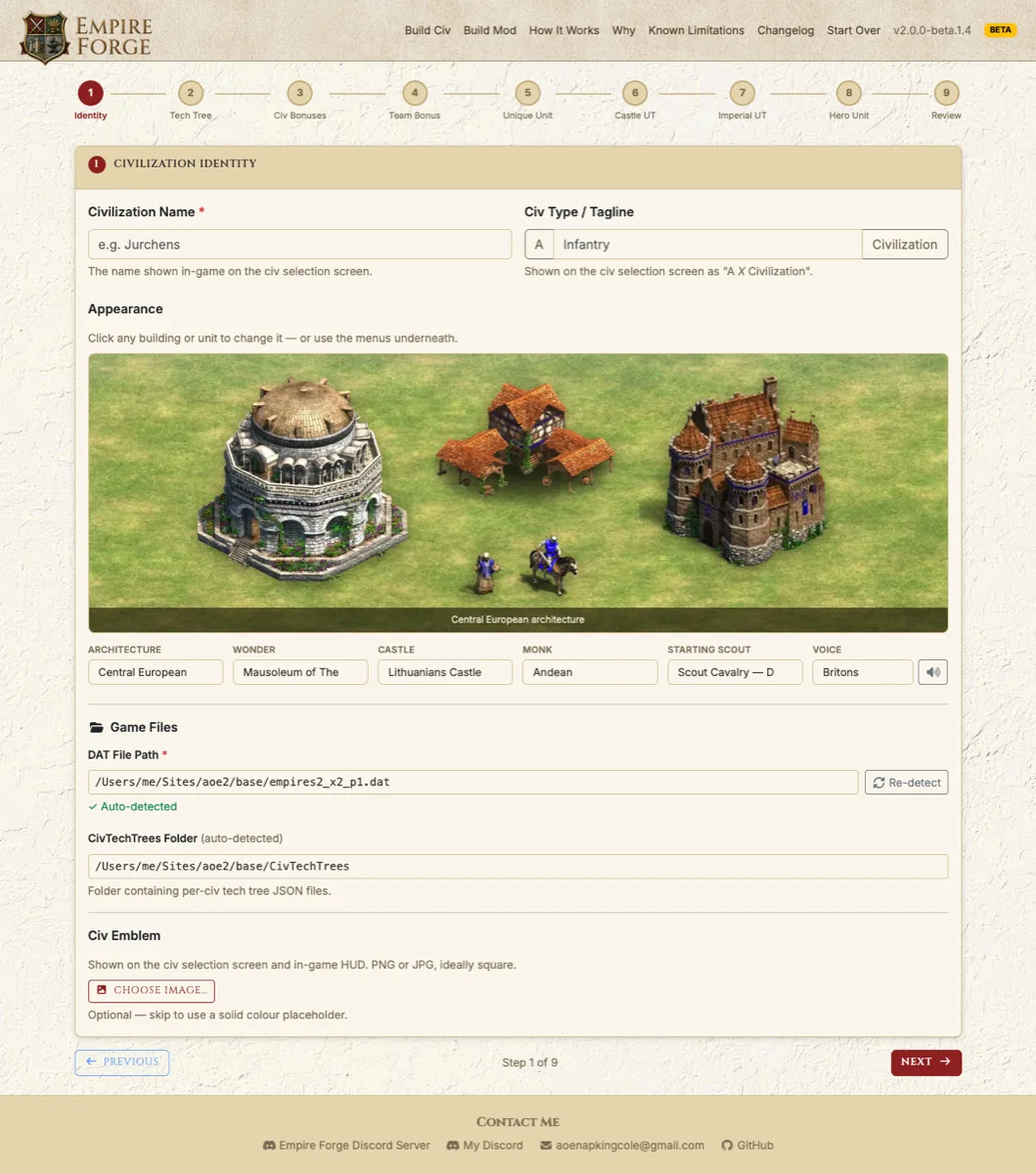
Name your civ and its tagline, then pick its look by clicking straight on the preview scene.
- Architecture, castle and wonder
- Monk appearance and starting scout
- Spoken language, with a sample you can play before choosing
Steps 2–3 · Bonuses
Civ bonuses and a team bonus
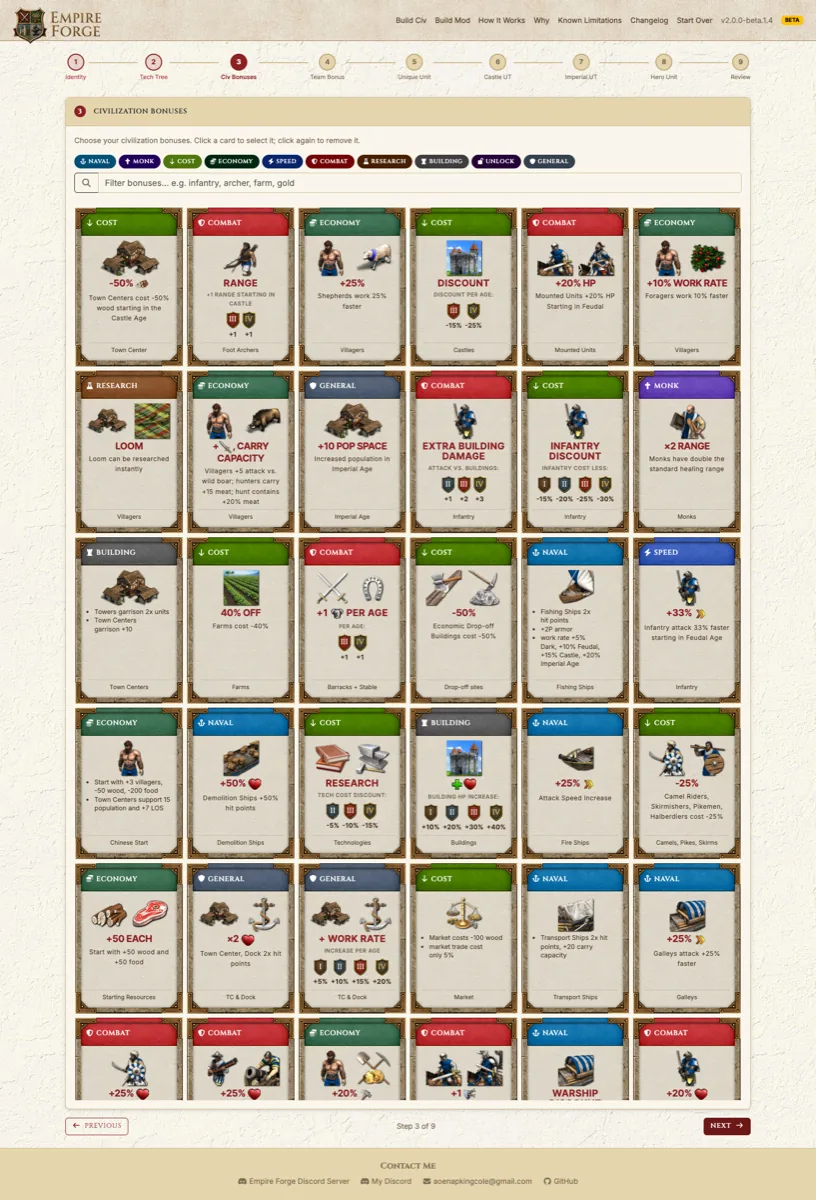
Browse and filter the full bonus catalog by category and click a card to take it. Many bonuses can be scaled - make the Byzantine discount bigger, or a cavalry bonus smaller.
- Bonuses from every civilization, including the Chronicles civs where they work with ordinary units
- Custom bonuses: pick a target - a unit group, one unit, a villager job, a building, an age or a tech - and stack effects like "+20% HP, +2 pierce armor"
- Save custom cards to your library and share them as files
Step 4 · Tech tree
The tech tree you already know
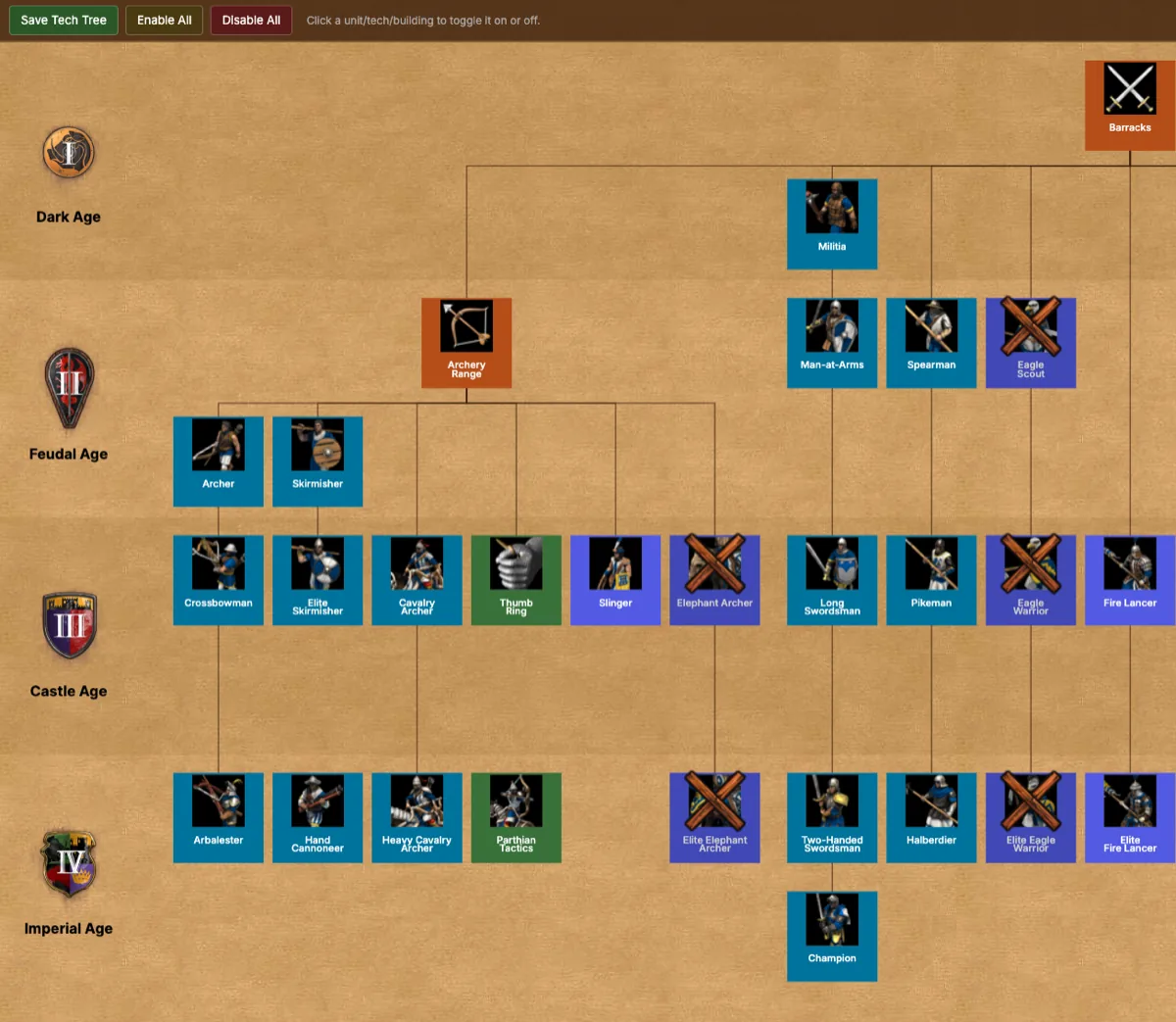
Click any unit, building or technology to switch it on or off - the same layout as the in-game tech tree, courtesy of Siege Engineers.
- Add regional units like Elephant Archers, Battle Elephants or Camels
- Take as many units as you like: when two share a button, choose which one moves to the building's second page
Steps 5–8 · Unique unit, techs & heroes
Your castle, your rules
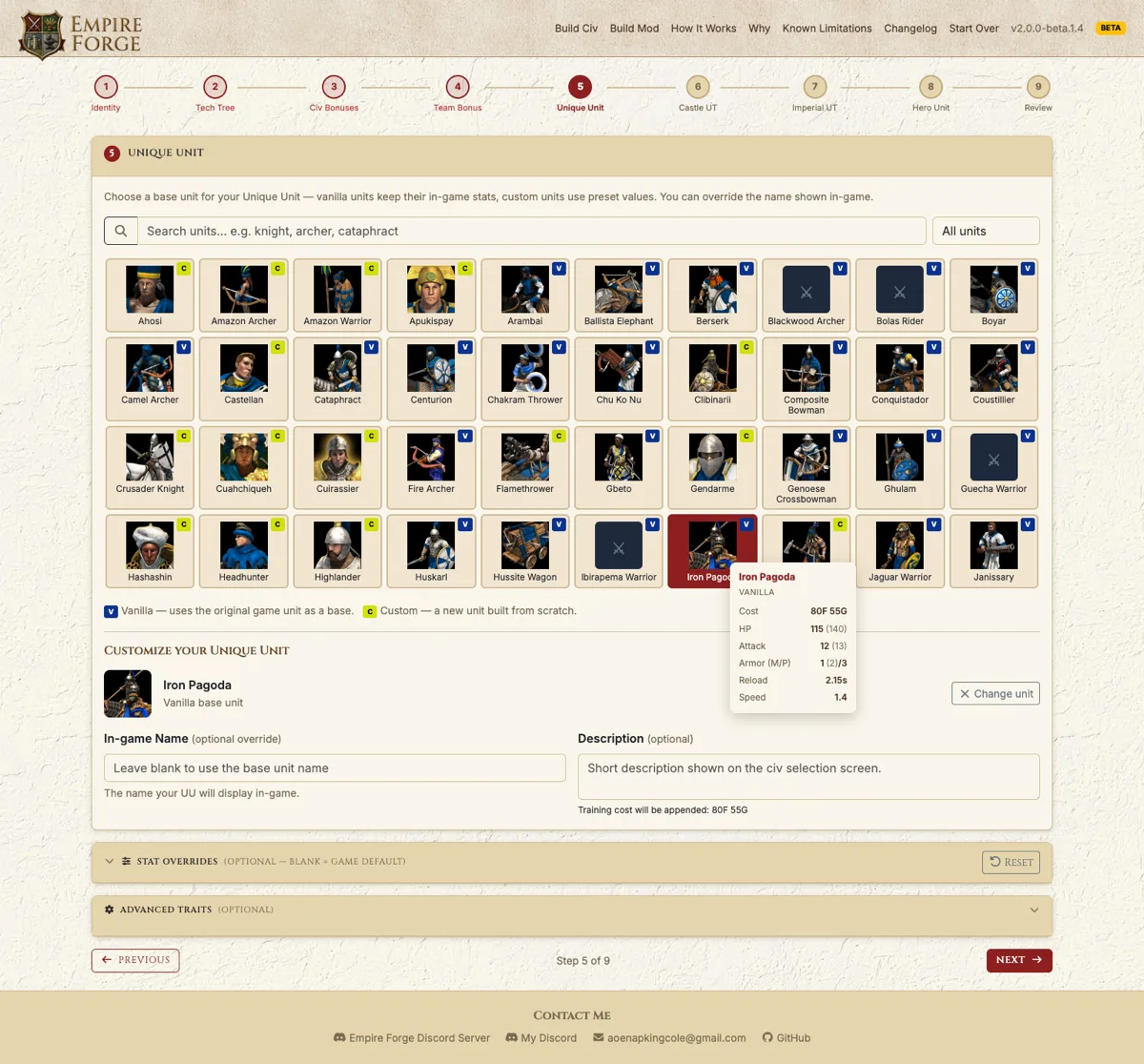
Choose a unique unit from the game or a custom base unit, see its live stats, and override its name, cost or stats.
- Castle and Imperial unique techs from the full roster, or composed from bonus effects
- Optional heroes, one at a time, retrainable when they fall
- Second unique units and Chronicles units are available as unlock cards
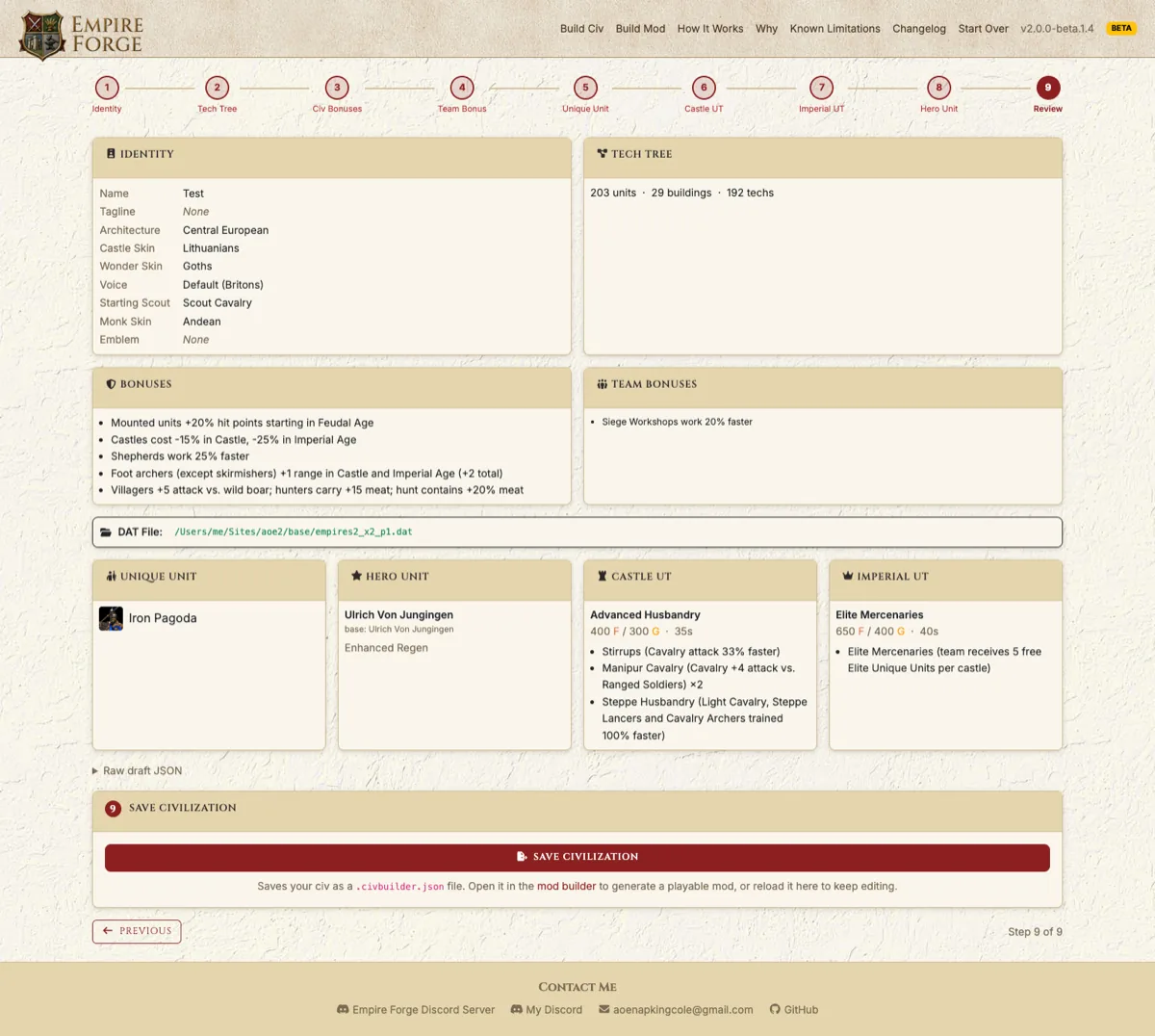
Step 9 · Review
Check it, save it, build it
A full summary of the civ before you save it as a .civbuilder.json file. Combine as many civs as you like into a single mod, and the builder warns you before building if anything needs your attention.
Already have civs from KrakenMeister's builder? Convert KM Civ imports them so you can keep editing.
Try it yourself
Free, open source, and nothing to sign up for.
Download for Windows Some exotic effects aren't possible in the game engine - see what Empire Forge can't do.